


Tektronix today released new firmware for the 5 Series and 6 Series MSO mixed signal oscilloscopes that unlocks a new analysis tool called Spectrum View. A free upgrade (see URLs below), Spectrum View allows you to perform mixed domain analysis on the big, high-resolution displays of the 5 and 6 Series MSOs. This mixed domain capability can be added to any 5 or 6 Series MSO just by installing the firmware, and of course all new instruments will feature this functionality out of the box.
Until now, the Tektronix MDO4000C mixed domain oscilloscope has been the only oscilloscope to offer synchronized time and frequency domain analysis with independent control over waveform and spectrum views. It accomplishes this by incorporating a full spectrum analyzer with its own dedicated input channel.
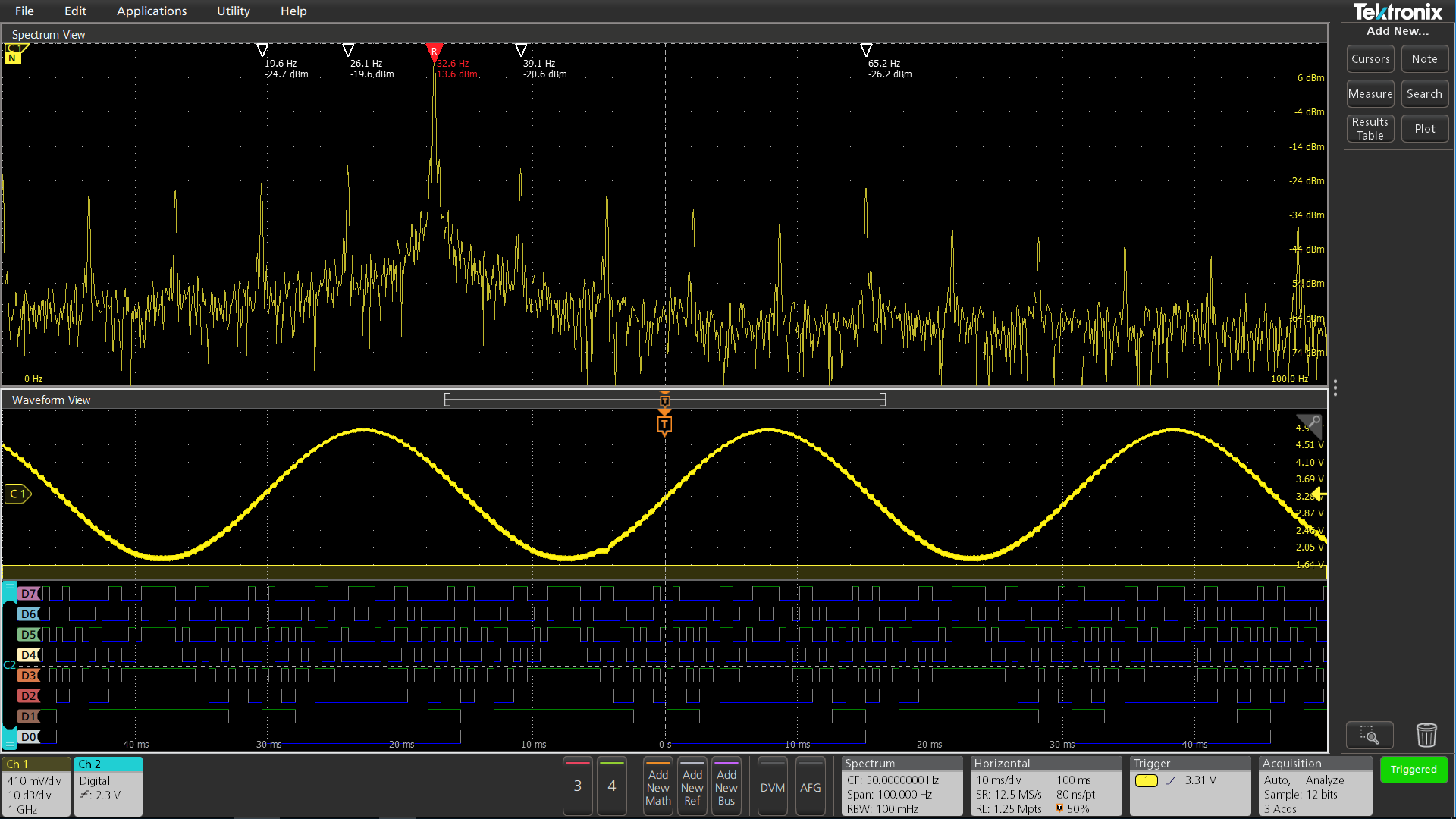
To address the need for RF analysis in its higher performance 5 and 6 Series MSO mixed signal oscilloscopes, Tektronix is taking a new approach that does not require a separate input channel while still offering similar capabilities. This latest firmware enables patented technology already built into the scopes. Hardware in the instrument enables you to simultaneously look at the analog waveform view (on the left below, for example) and spectral views (on the right) with independent controls in each domain.
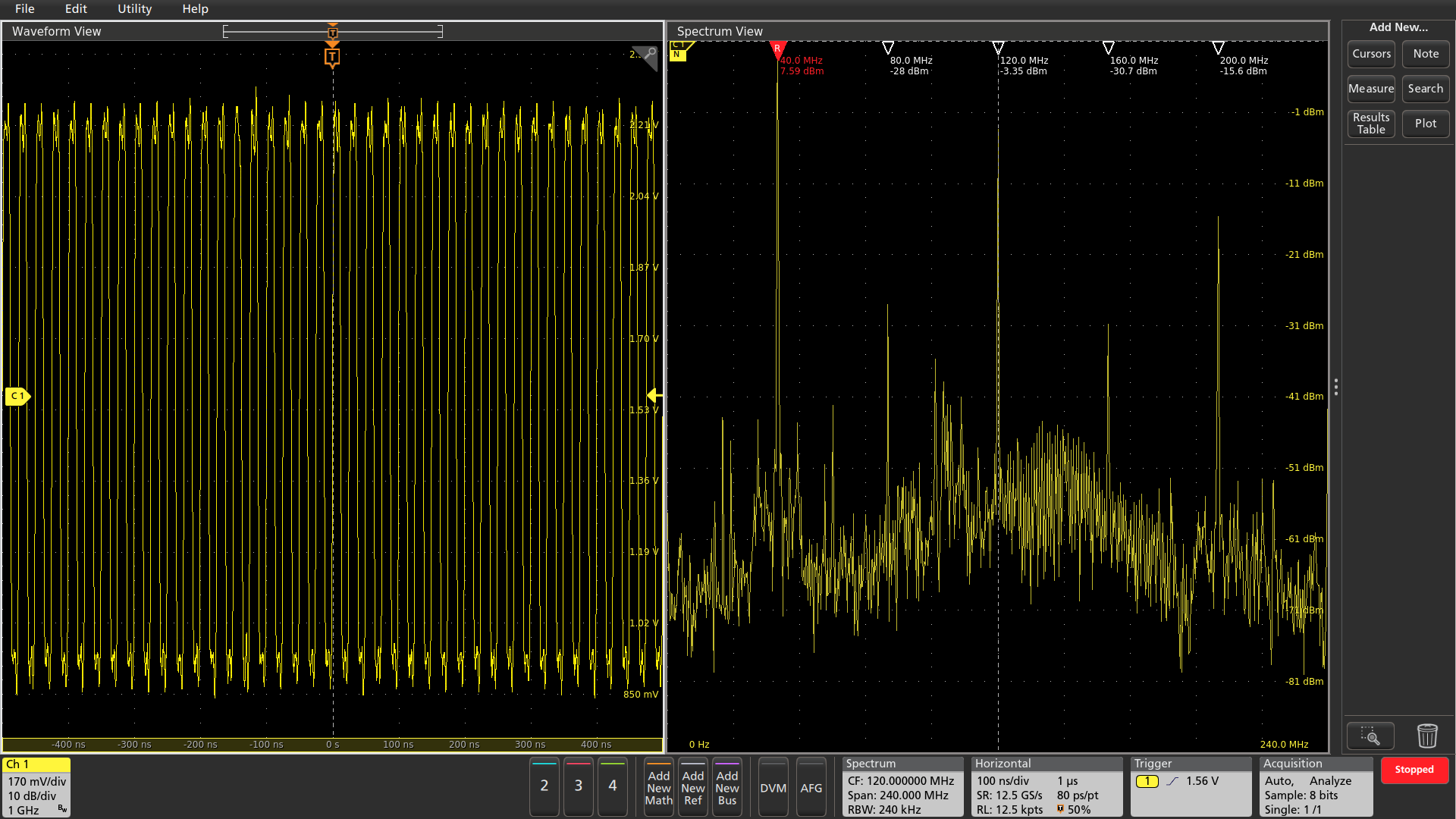
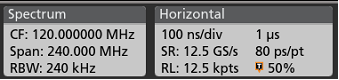
Independent controls let you adjust the spectrum with familiar center-frequency, span, and RBW controls, without affecting the time scale in the waveform view. The opposite is also true – changes to the horizontal scale do not impact the spectrum. Independent controls make it easy to correlate frequency domain activity with other time domain phenomena.
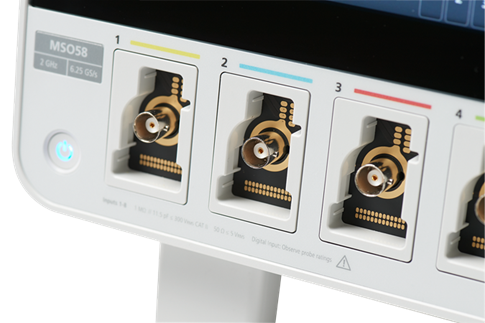
Both the 5 and 6 Series MSOs have FlexChannel inputs. Each of the inputs may be used as a single analog channel or eight digital channels. With the Spectrum View, any analog signal may be viewed as a time domain waveform, a frequency domain spectrum, or both at the same time. Digital channels are enabled by simply attaching a TLP058 logic probe to any input. This means any input can be used to look at analog waveforms, frequency spectra, or digital waveforms.
The screen below shows two channels: Channel 1 shows the output of an 8-bit digital-to-analog converter as both a waveform and spectrum. Channel 2 shows the input to the DAC as 8 logic waveforms.
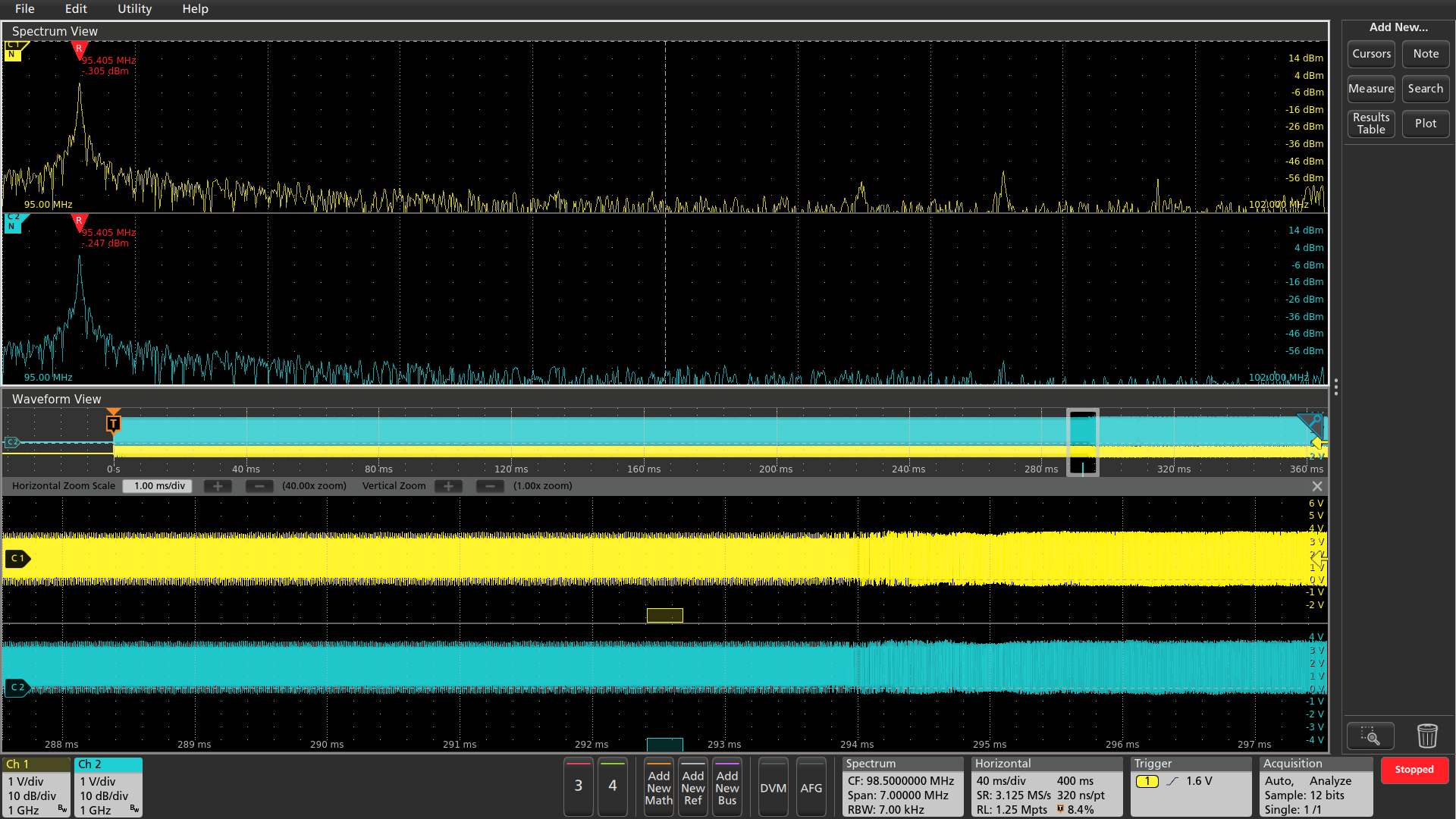
You can also perform mixed domain analysis on more than one channel, as shown below. Each of the two color-coded analog waveforms has a corresponding spectrum. Note that below each waveform is a small bar. This indicates the time at which the spectrum occurs within the time domain. This spectrum time can be moved through the waveform to see the synchronized spectrum at any point in the waveform.
The still screenshots in this post don’t tell the whole story. Watch Gary Waldo, one of our key scope designers, give a short demonstration of mixed domain analysis using the new spectrum view, or better still install the firmware on your instruments and see for yourself. Here are the links:
Windows OS: 5 Series, 6 Series
Non Windows OS: 5 Series, 6 Series